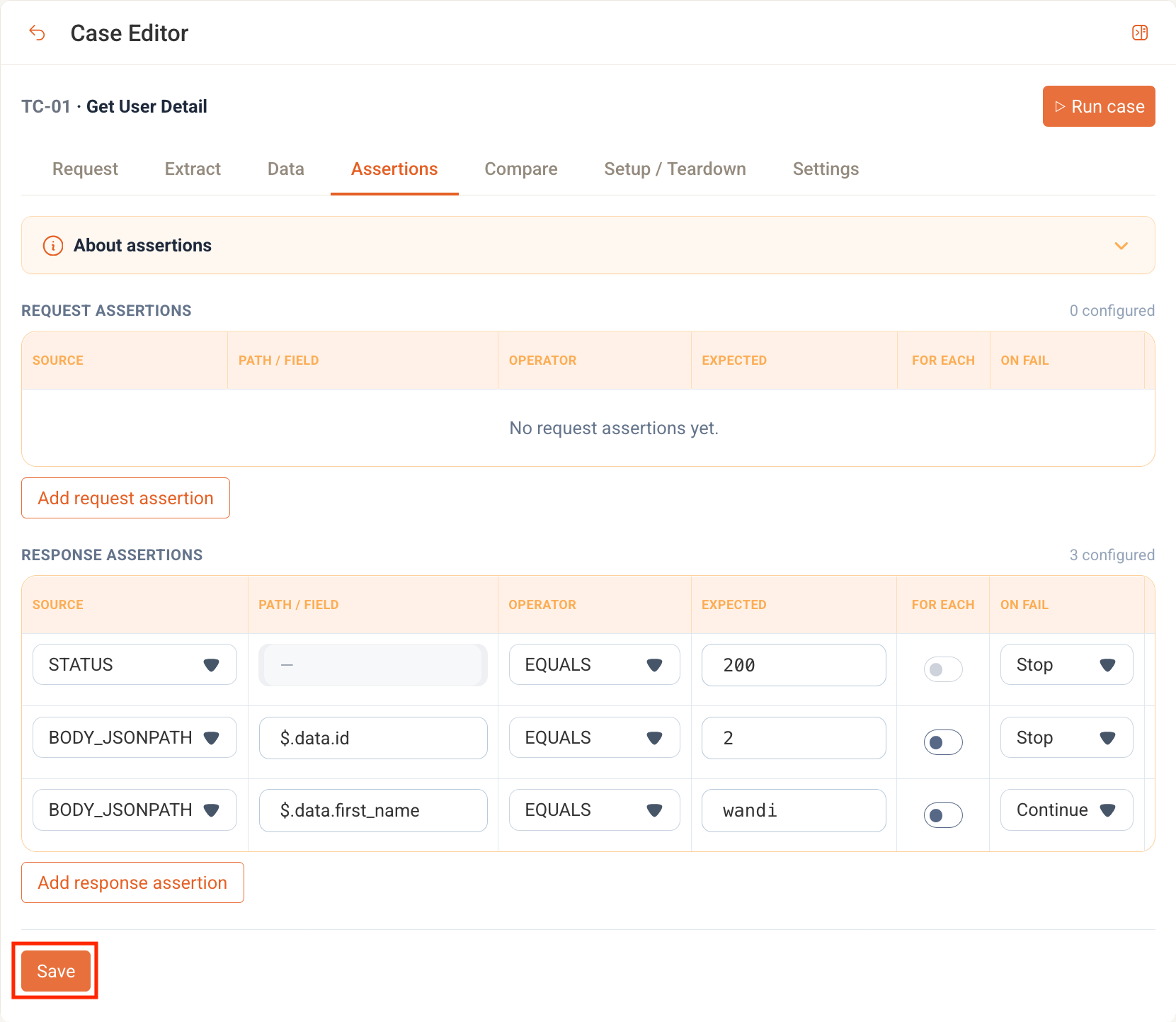
Assertions
Assertions are rules that determine whether the case passes. Response rules are evaluated first, followed by request rules.
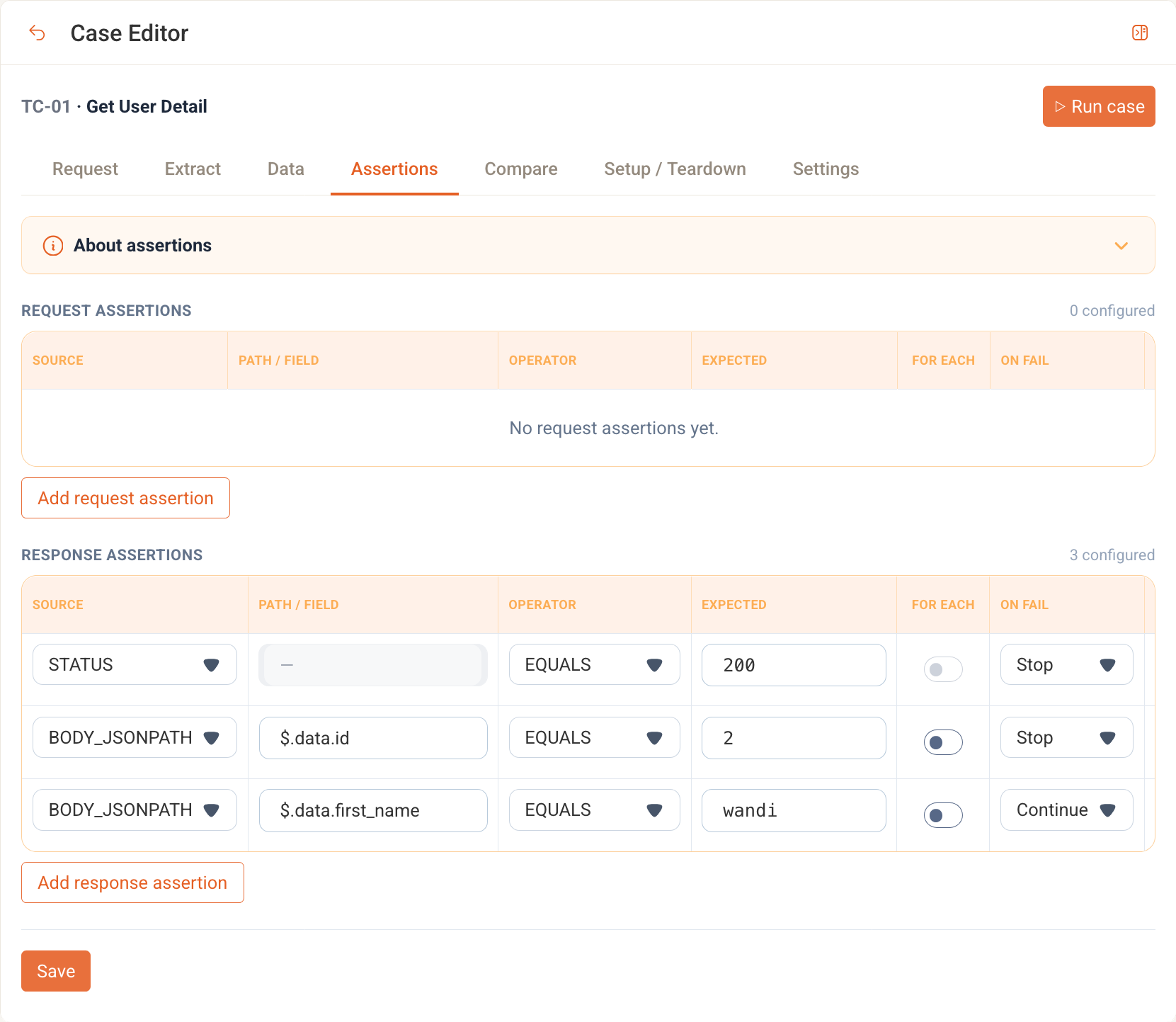
Both response and request tables contain the following columns and fields:
- Source, the part that is evaluated. For example,
STATUS. - Path/Field, the path or field name.
- Operator, the comparison applied. For example,
EQUALS. - Expected, the expected value. It may contain variables.
- For Each, a toggle that applies the rule to each element of a matched array.
- On Fail, the behaviour when the rule fails.
Stopends the evaluation of the case.Continueevaluates the remaining rules.
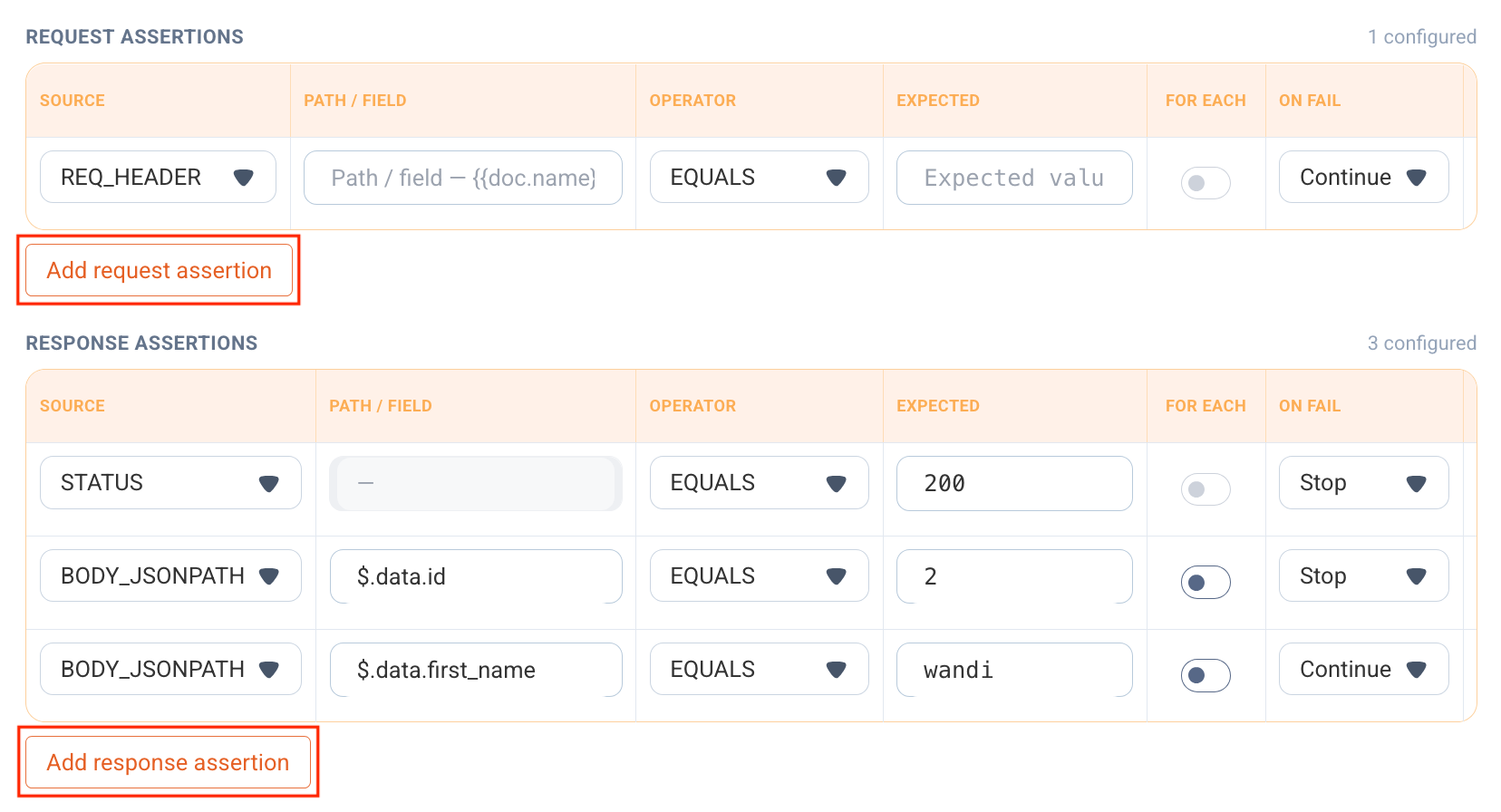
Rules are added with Add Request Assertion and Add Response Assertion.
Changes take place only after clicking on Save.